Did It Finish?
Making background work understandable at a glance.
I spend a lot of time building software with coding agents. Alongside that work, we’re developing a team of agents that can carry on researching subjects we’re interested in. Some of the work uses models from other companies, and some runs on our own machines. I wanted one place where I could get a feel for what all of it was doing.
That became Mission Control. I asked for a visual overview of the models we were using, the machines doing the work, and the agents we had running. I wanted to be able to open it, see what was happening, and decide where to spend my attention.
The work still happens in the tools and systems we’ve built around it. Mission Control brings their activity together. That lets us develop the research system and keep using our coding tools while building a common view across them.
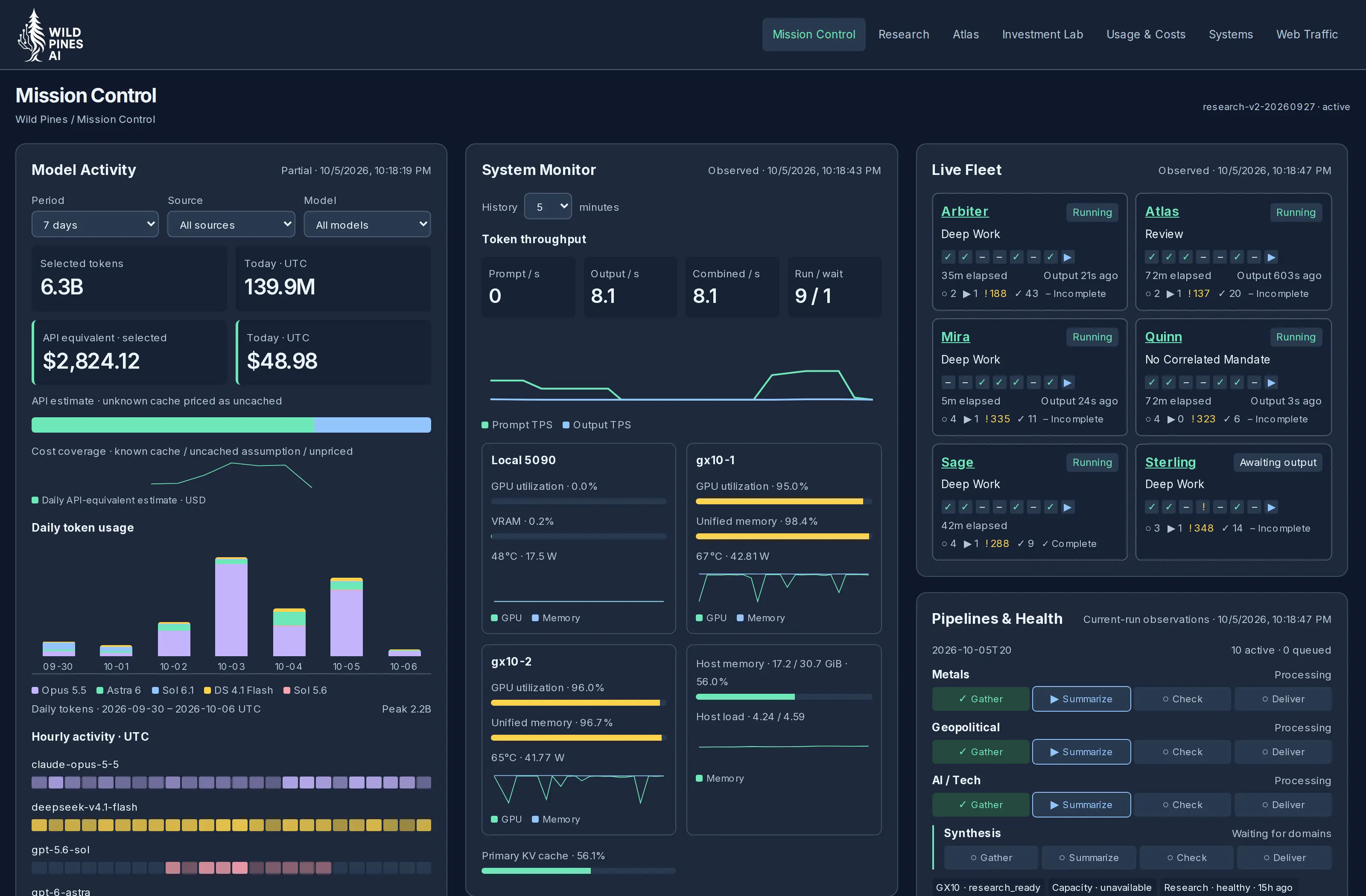
The wider picture
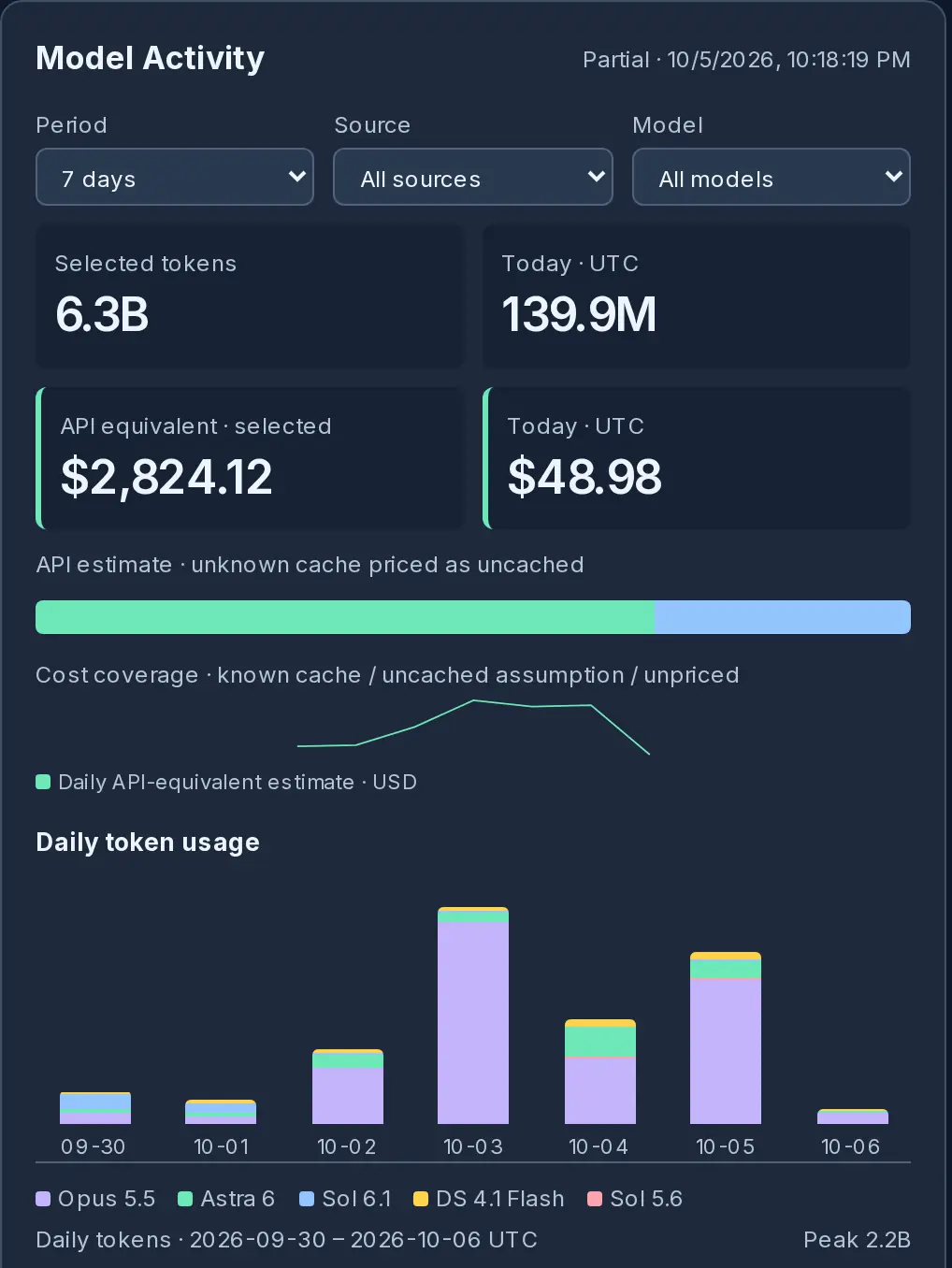
I wanted graphs because I’m usually interested in the shape of the work before I need an exact number. Seeing activity across a week gives me somewhere to start. I can look at which models we’re using and how that changes as we move between projects, then choose a shorter period or a particular model when I want a closer look.
As we worked through that view, I asked whether it included the Claude and Codex work on our Windows laptop. We build from more than one computer. If I was going to use this as an overview, I wanted that work included too. We connected it so those sessions contribute to the same view.
We’ve also included cost estimates alongside usage. They’re labeled as API-equivalent estimates because they aren’t our subscription bills. I want to understand the scale of the model use without confusing those two things.
Putting the machines beside that activity gives me another part of the picture. I can see how heavily we’re using the local hardware while looking at the work we’ve given it. I asked to keep those useful graphics together with the agents, so checking on the system could stay a quick visit.
A useful glance
Looking through the interface helped me get more specific about what I wanted from it. A yellow warning beside an agent caught my attention, so I asked for a short explanation when I hovered over it. I wanted enough information to understand what needed looking at and start a useful conversation with my coding assistant.
That same question came up as we went through the rest of the dashboard. I questioned extra pages that repeated the overview and asked to remove panels full of session details. There was information available, but reading through it wasn’t what I wanted to do each time I opened Mission Control.
I told the agent that I wanted a high-level idea at a glance. When something needed investigation, I would work through it with the assistant. That gave us a clearer division between the interface I use to keep track of things and the detailed records the assistant can inspect with me.
We’re still refining the interface around that direction. I want the useful graphics to remain prominent and the explanations to be brief enough that I can take them in while looking around. As I use it, I can point to something specific and say what would make that view more useful.
Putting it to work
Our research team, Pinecone, gives us plenty of opportunity to do that. We’re developing agents that follow subjects over time, keep their findings, and return to earlier work as new information comes in. I want to see how they’re getting on while we’re building that system.
We deliberately kicked it off to see where it would fail, then started working through the errors one at a time. That process is ongoing. Running it gives us something concrete to observe and improve, and Mission Control gives me a way to follow along without reading through every agent’s work.
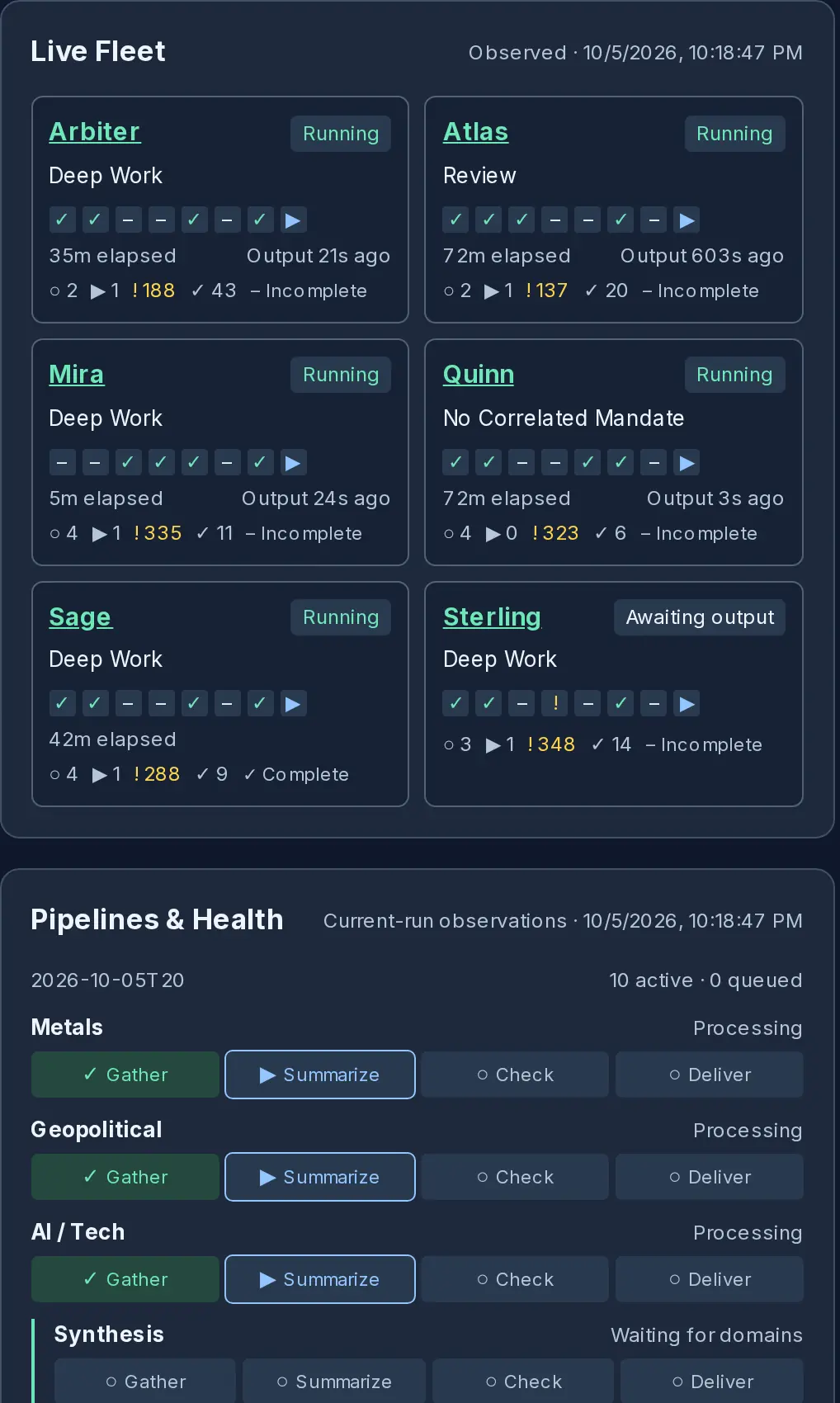
I can bring what I notice back into the next conversation: look into this agent, explain this warning, make this part easier to understand. Those requests help us improve both the system and the way I keep track of it.
That’s the kind of tool I want beside me as we build. I can check on work happening in the background, choose something that needs attention, and get back to the next thing we’re making.